How to Spot Fake Weather Alerts and AI Disaster Hoaxes Before You Act (2026)
A scary weather alert pops up on your phone. A dramatic video shows a wall of clouds over your town. Your heart races. But wait. Is it real?
In 2026, fake weather alerts and AI disaster hoaxes are flooding social feeds. Bad actors now use AI to create fake scenes of storms, floods, and emergencies that look shockingly real. Fact-checkers have spotted a surge of made-up severe weather posts spreading fast online. These fakes borrow the look and words of real warnings, so they fool a lot of people.
Here is the tricky part. Acting on a fake alert can be just as dangerous as missing a real one. You might rush out on the road when you should stay home. You might scare your family for no reason. Or you might start to ignore all alerts, which puts you at risk when a true warning comes.
The good news? You do not need to buy anything to protect yourself. You just need a few simple habits.
This article shows you how to tell real alerts from fake ones. You will learn which sources to trust, how to check any alert in about 60 seconds, and the red flags that give a hoax away. We will also cover what to do if you already shared something fake. By the end, you will feel calm and confident when the next alert hits your screen.
- Real weather alerts come from official sources like the National Weather Service, not random social posts or screenshots.
- Check for S.A.M.E codes and your local county name, since real alerts are tied to specific areas.
- AI hoaxes often show odd details, missing timestamps, or images that do not match the reported location.
- Cross check any scary claim against 2 or more trusted sources before you act.
- Keep a NOAA weather radio ready so you get official warnings even when phones and internet fail.



Reviewed by James W., Marcus T. & Elena V. — contributors with hands-on preparedness experience. How we test
Being ready starts with tools you can trust when the news gets loud and confusing. Grab the gear below, then read on to see why each one helps you cut through fake alerts.

Midland WR120B NOAA Alert Radio
Uses S.A.M.E localized programming to warn you about over 60 kinds of hazards for your exact area. It gives you official alerts straight from NOAA, so you are not fooled by fake online posts.
Check Price on Amazon
Hand Crank Solar NOAA Radio
Certified by the National Weather Service and powered by hand crank or solar, so it works when the grid is down. It auto sounds official severe weather alerts you can trust.
Check Price on Amazon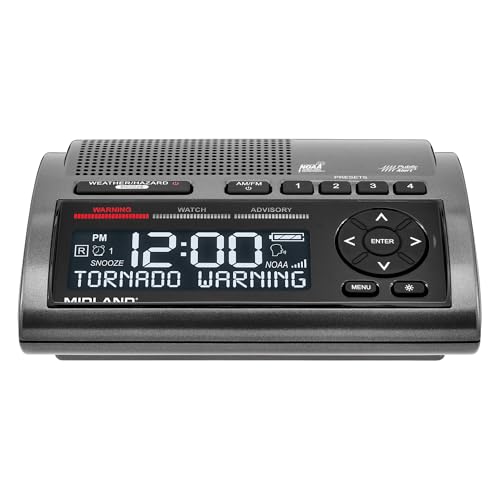
Midland WR400 Deluxe Radio
Scans 10 weather channels and locks onto the strongest one with local county programming for over 80 alert types. Battery backup keeps official warnings coming even during outages.
Check Price on AmazonIn this guide
Why Trust This Guide?
This article was researched and reviewed by contributors with hands-on experience in emergency preparedness. They have tested gear, built real systems, and lived through situations where these skills actually mattered.
Why Fake Weather Alerts and AI Hoaxes Are Spreading
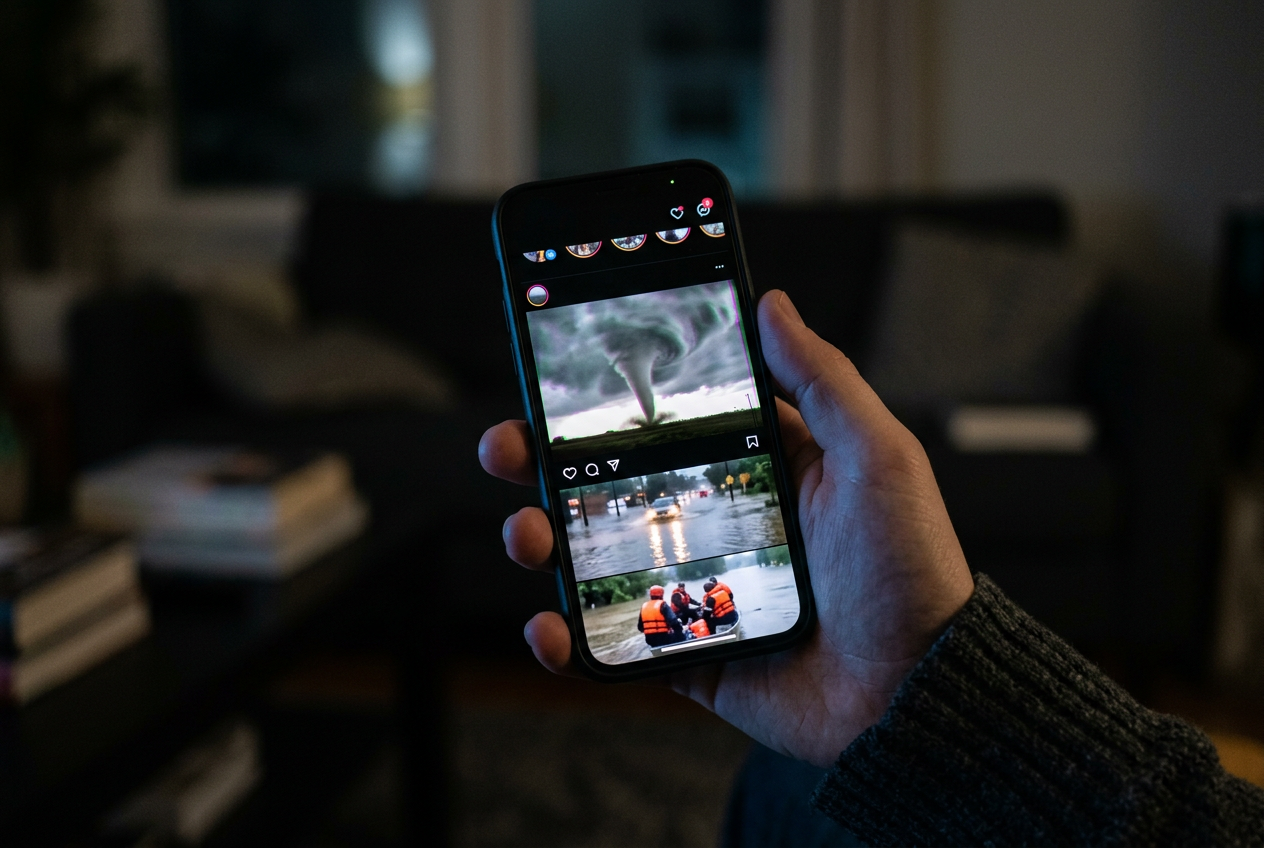
Fake weather alerts spread for one simple reason. They get attention. A scary storm image or a dramatic warning screenshot makes people stop scrolling. People share it fast, often before they check if it is real. That sharing is exactly what bad actors want.
Today the problem is worse than ever. Bad actors now use AI to create fake scenes of disasters and emergencies. Ready PA warns that this is happening. AI tools can make a photo of a flooded street or a giant storm cloud that never existed. They can also fake an official-looking alert screenshot. These images look real. That is what makes them dangerous.
In September 2026, Lead Stories documented a surge of made-up severe weather posts flooding social media timelines. Viral videos showed alarming weather alerts for one state after another. Many of these were not real. They were built to look scary and get clicks.
The rise of amateur “weather sleuths”
Not every fake alert comes from a bad actor. Some come from regular people who love weather. Ready PA points out that it is typical to see amateur weather sleuths share their forecasts as fact. These folks may mean well. But a hobby forecast is not an official warning. When their guess spreads online, others may treat it like a real alert. That confusion can lead you to act on bad information.
So you now face two problems at once. First, AI fakes made to fool you. Second, honest guesses shared as if they were official. Both can look convincing on your phone.
What real official alerts look like
The best defense is knowing what a real alert looks like. That way you have something solid to compare against.
Official warnings come from trusted places. The National Weather Service (NWS) issues real weather warnings. Your local officials share alerts too. And your phone can get Wireless Emergency Alerts (WEA).
WEA is a public safety system run through the government. The FCC explains that WEA sends short, text-like messages to compatible phones. These messages are geographically targeted. That means you get them because of where your phone is, not because someone shared a post. A real WEA arrives as a phone alert with a loud tone. It does not arrive as a random video in your feed.
Here is the key point. Real alerts come to you through official channels. Fakes come to you through shares, reposts, and viral videos. A screenshot someone posted is not the same as an alert sent straight to your phone or issued by the NWS.
Keep that difference in mind. Once you know where real warnings come from, a viral post is much easier to question. The next sections show you which sources to trust and how to check any alert fast.
Know Your Trusted Sources Before Disaster Strikes
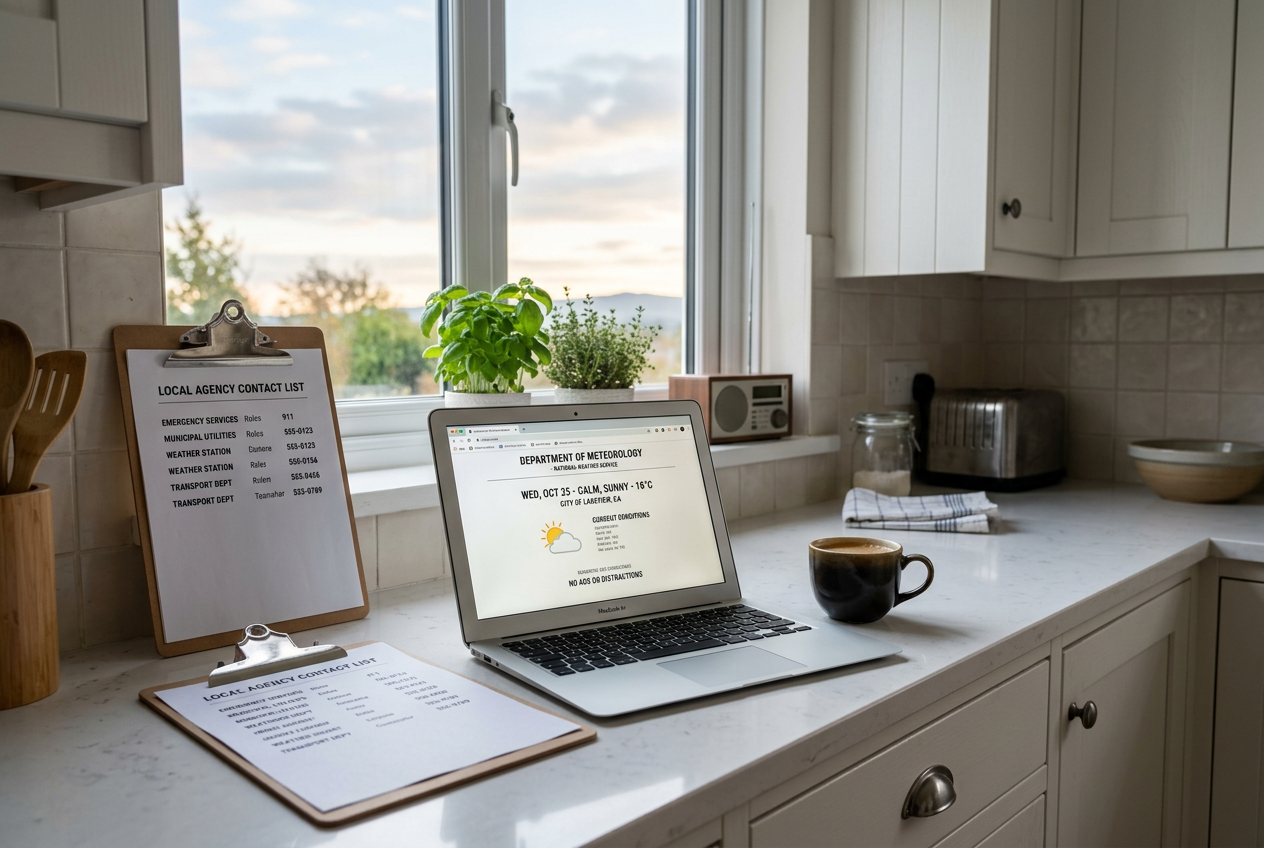
The best time to pick your trusted sources is right now, before any storm is on the way. When a crisis hits, you may feel rushed or scared. That is when fake alerts fool people the most. If you already know who to trust, you will not have to guess in the moment. You can just check your list and act.
Bad actors now use AI to make fake disaster scenes and warnings look real. Amateur weather fans also share their own guesses as if they were fact. So you need a short list of official sources you can rely on. Set these up today. Here is where to start.
The National Weather Service
The National Weather Service, or NWS, is the official source for weather warnings in the United States. This is where real severe weather alerts come from. Watches and warnings for storms, floods, and tornadoes all start here.
Follow your local NWS office. You can find it by searching for your area on the NWS website. Bookmark that page. Many NWS offices also post on social media, but always check that the account is the real, verified one.
Local Emergency Management
Your county or city has an emergency management office. These are the local officials who tell you when to shelter, when to evacuate, and where to go. They know your area better than any national account.
Look up your county emergency management office now. Save the phone number and website. Follow their official pages. When a warning comes, their word carries real authority for your neighborhood.
Government Ready Pages
State and federal Ready pages give you clear, trusted guidance. Ready PA is one example of a state page that helps you stay informed. Many states have their own version. There is also the national Ready program.
These pages warn about the same problems this article covers. They note that amateur forecasters share guesses as fact and that bad actors use AI to fake disasters. That is exactly why they are worth following.
Wireless Emergency Alerts
Wireless Emergency Alerts, or WEA, are a public safety system. They send short, text-like messages to your phone. These alerts are targeted to your location. So you get warnings that matter where you are.
Most newer phones can receive WEA. Check your phone settings and make sure emergency alerts are turned on. These come from official sources, not random posts.
Set It All Up Today
Take ten minutes right now. Bookmark your local NWS page. Save your county emergency office. Follow a Ready page for your state. Turn on Wireless Emergency Alerts on your phone.
When you do this ahead of time, you build a habit. During a real event, you will check these sources first. A viral post is not proof. Your trusted list is.
How to Verify an Alert in 60 Seconds
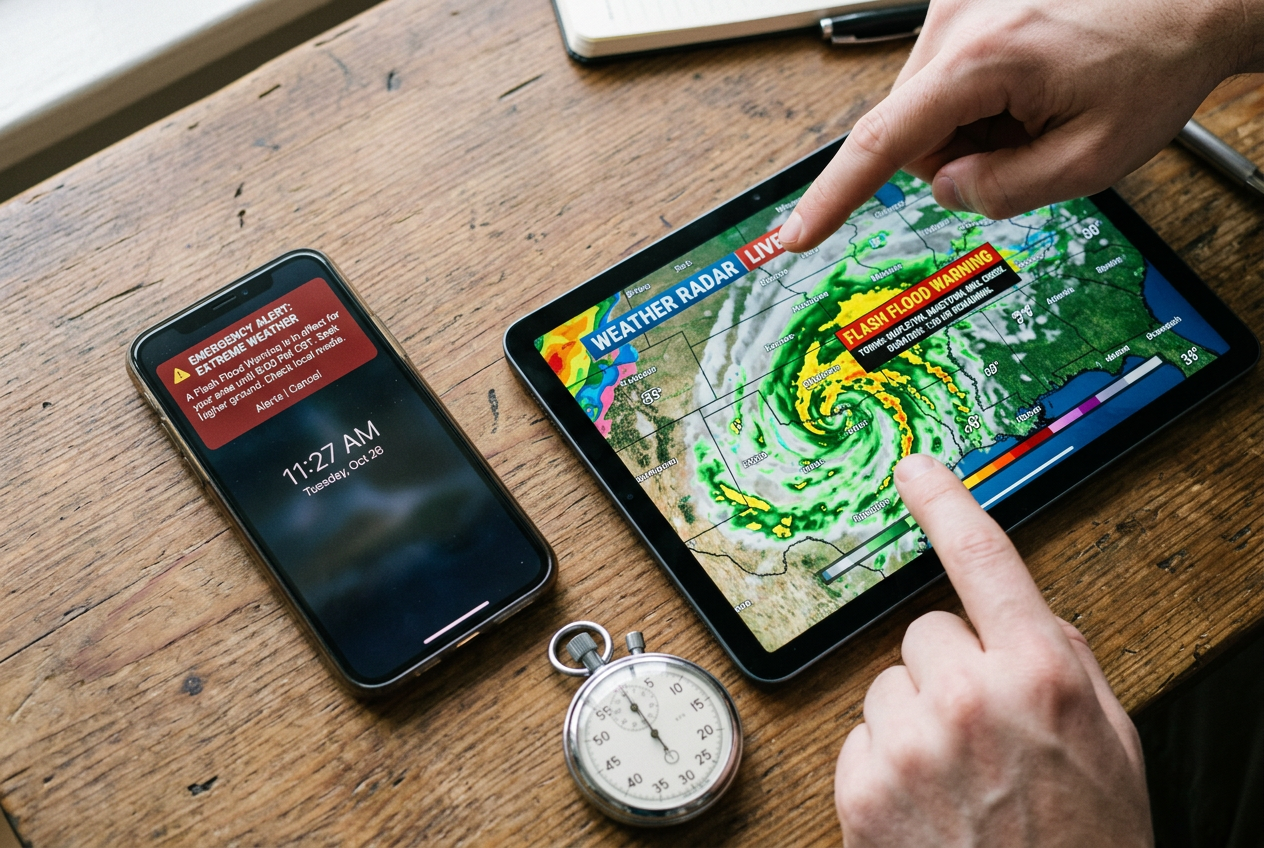
You saw a scary weather warning. Maybe it was a post, a video, or a text from a friend. Before you share it or panic, take one minute to check if it is real. Here is a simple step-by-step you can run on any alert.
Step 1: Go straight to the source
Do not trust the post you saw. Open a new tab or app and go directly to the National Weather Service. Type the address yourself or use a bookmark. You can also open your phone’s built-in weather app or a trusted local news site.
Why does this matter? Bad actors now use AI to make fake disaster scenes and fake alerts. These look real. A real warning will show up on the official National Weather Service site or app. A fake one will not.
If the alert is real, you will see it listed. If you cannot find it on an official channel, treat it as suspect.
Step 2: Check for an official Wireless Emergency Alert
Look at your own phone. Did you get a Wireless Emergency Alert? These are also called WEA messages.
A WEA is a short text-like message sent by the government. It goes to phones in a specific area that is under threat. You do not sign up for them. They come to any compatible phone in the danger zone. They are used for things like severe weather and other emergencies.
Here is the key point. A real WEA comes from the government, not from a random social media account. If a scary “alert” is only floating around online and never hit your phone as a WEA, that is a warning sign. A screenshot someone posted is not proof. Anyone can fake a screenshot.
Step 3: Match the details
Now compare what you saw to what the official source says.
- Does the location match your county or area? Real warnings are targeted to a place.
- Does the timing match? A real alert names a clear time window.
- Does the type of alert match? A “warning” means take action now. A “watch” means conditions are possible.
If the viral post says something bigger, scarier, or different than the official National Weather Service page, trust the official page.
Quick recap
Run this 60-second check every time:
- Go directly to the National Weather Service site or app. Do not use links from the post.
- See if a real Wireless Emergency Alert came to your phone from the government.
- Match the location, timing, and alert type to the official source.
If it does not appear on an official channel, do not act on it and do not share it. Waiting one minute to verify is smart. It keeps you from spreading a hoax and helps you focus on real threats.
Red Flags of a Fake Alert or AI Hoax

Real warnings come from real places. Fake ones lean on panic and speed. When you learn the warning signs, you can pause, check, and avoid sharing bad information. Here are the red flags to watch for.
No Official Source You Can Click
A real alert points back to an official source. Think the National Weather Service, your local emergency office, or a Wireless Emergency Alert on your phone. If a post has no link, or the link goes to a random blog or social account, treat it as suspect. Bad actors now use AI to make fake disaster scenes. A post with no way to trace the claim is a big warning sign.
It Rushes You to Act or Share
Fake alerts use strong emotion. They say things like “share now” or “before it’s too late.” Real safety messages give clear steps. They do not beg you to spread the post. If a message pushes you to react fast without checking, slow down. Urgency is a tool used to stop you from thinking.
It Is a Screenshot, Not a Live Page
A screenshot of an alert is easy to fake. Anyone can edit text or make a fake image. A real alert should be viewable on a live official page. If someone only shares a photo of a warning, go find the same alert on the real source yourself. If you cannot find it on an official site, it may not be real.
Odd Wording or Wrong Details
Read the words closely. Official alerts use plain, clear language. Fake ones often have strange grammar, odd phrasing, or spelling mistakes. Watch for wrong place names, made-up agency names, or details that do not match your area. These small errors often give a hoax away.
AI Image Glitches
Many fake disaster posts use AI-generated pictures and videos. Look for the signs. Hands or fingers may look wrong. Text on signs may be blurry or nonsense. Skies, water, or buildings may look too smooth or bend in odd ways. Shadows may point the wrong direction. If an image feels off, do not trust it as proof.
“Friend of a Friend” Claims
Be careful with forwarded messages. If a claim comes from “my cousin’s coworker” or “a friend who works there,” that is not a source. These chains spread fast and lose the truth along the way. A real alert stands on its own official record, not on a rumor passed down a line of people.
Pause Before You Share
If you see two or more of these red flags, stop. Do not share the post. Sharing spreads panic and helps hoaxes grow. Instead, take 60 seconds to check the real source. When in doubt, leave it out. Verify first, then act.
Use a NOAA Weather Radio as Your Ground Truth
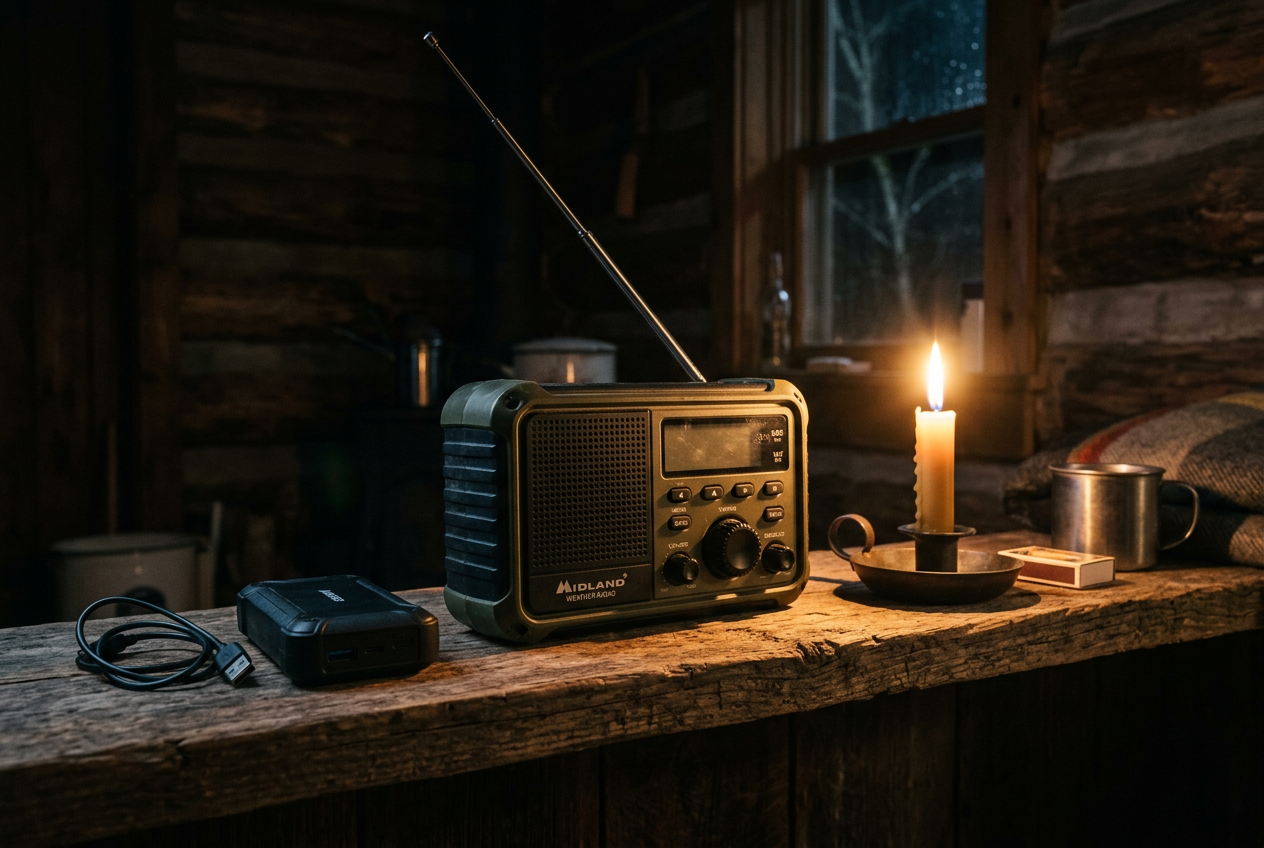
Social media can be tricked. A NOAA Weather Radio cannot be faked the same way. It pulls alerts straight from the National Weather Service. That gives you an independent way to check if a viral warning is real.
Here is how it helps. You see a scary post about a storm in your area. Instead of trusting the post, you listen to your radio. If the National Weather Service really issued an alert, your radio will sound it. If your radio stays quiet, the post is likely fake or exaggerated. That is what “ground truth” means. It is a direct line to the official source.
What S.A.M.E. Programming Does
Many weather radios use something called S.A.M.E. That stands for Specific Area Message Encoding. It sounds technical, but the idea is simple. You enter a code for your county. Then the radio only alerts you for events near you. You skip warnings for far away places you do not care about.
This matters for spotting hoaxes too. Fake posts often show alerts for the wrong region. A real, local alert on your S.A.M.E. radio confirms the danger is near you. Silence tells you a viral “warning” may not apply.
The Midland WR120B lets you program up to 25 counties and covers over 60 kinds of hazards. It uses color-coded indicators to show the alert type and how serious it is.
The Midland WR400 is a home model with S.A.M.E. programming for up to 25 counties and more than 80 alert types. You can choose how it warns you, with a siren, a voice alert, or a flashing light. It also has AM/FM and an alarm clock.
This home radio uses S.A.M.E. localized programming for up to 23 location codes and 75 or more hazards. It has a test button so you can check it works each month.

The DreamSky model is NOAA certified. It uses S.A.M.E. to lock onto your county and offers three alert modes, voice, tone, and display. It also works as a daily FM radio on your counter.

Why Battery Backup Matters
Storms often knock out power. A radio that only runs on wall power will die when you need it most. Look for a model with battery backup or another power source.
This hand crank model is NOAA certified by the National Weather Service. It runs on solar, hand crank, wall power, USB, or AAA batteries. When the National Weather Service issues a severe alert, it makes a loud alarm and flashes a red light. That is useful during outages or if you want a portable option for your kit.
Keep your radio programmed and tested. Then it is ready to confirm the truth in seconds.
Comparing NOAA Weather Radios for Alert Verification
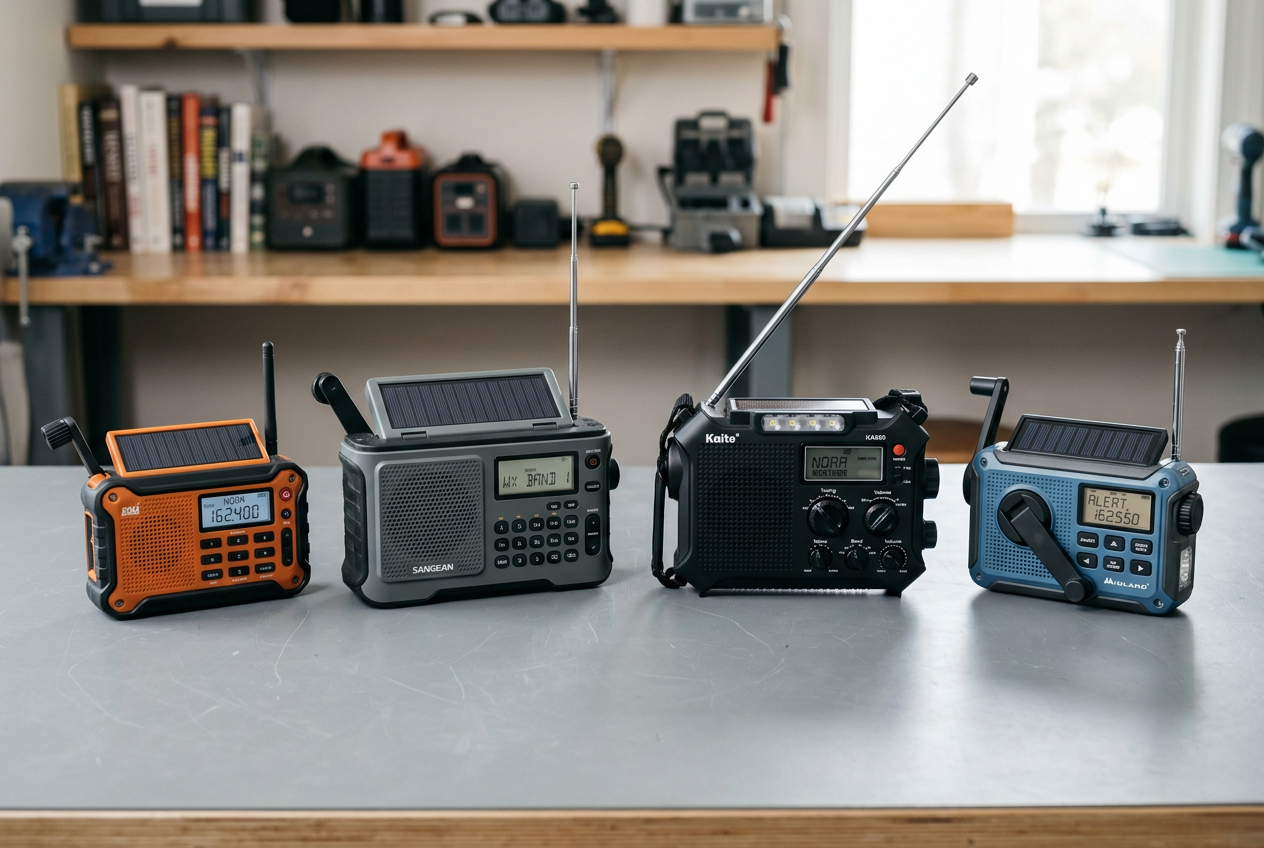
A NOAA weather radio gives you the real alert straight from the National Weather Service. That makes it a great way to check if a scary post online is true. When a viral video says a storm is coming, you can look at your radio. If it stays silent, the post is likely fake.
The radios below all pull alerts from official sources. Most use S.A.M.E. technology. S.A.M.E. stands for Specific Area Message Encoding. It lets you type in a code for your county. Then the radio only wakes up for warnings in your area. This filters out alerts for places far away. It also cuts down on false alarms that might make you ignore real ones.
Here is a quick look at the featured radios.
Here is how to pick one that fits your home.
If you want a plain, easy radio for a desk or shelf, look at the Midland WR120B. It alerts you to over 60 kinds of hazards. You can program up to 25 counties. Color-coded lights show the alert type and how serious it is.
If you want more features, the Midland WR400 adds a loud siren, voice alerts, and a flashing light. You pick how you want to be warned. It also runs on four AA batteries during a power cut.
For a family or older adults, the S.A.M.E. home radio has a simple menu and a monthly test button. That test button lets you confirm the radio still works. It runs on USB-C with AA battery backup.
The DreamSky radio locks onto your county and works as an everyday FM radio too. That means it stays on your counter, not just in a box.
If you want something for a go-bag or a long outage, the hand crank solar radio does not use S.A.M.E. codes. But it still sounds a loud alarm for severe weather alerts. It charges with solar power, a hand crank, USB, or AAA batteries.
Any of these radios gives you ground truth. When a post feels off, your radio helps you know the difference before you act or share.
What to Do If You Already Shared a Hoax

It happens. A scary weather post shows up in your feed. It looks real. You share it fast to warn friends and family. Later you learn it was fake. Maybe it was an AI-made image or a made-up alert. Do not feel bad. Bad actors design these posts to fool people. The good news is you can fix it in a few minutes.
Step 1: Delete or Correct the Post
First, deal with the post you shared. You have two choices. You can delete it. Or you can leave it up and add a correction.
Deleting removes the false info fast. But some people may have already seen it. That is why a correction can help too. Edit the post or add a comment on top. Say plainly that the alert was fake. Keep it short. For example: “Update: This alert is not real. Please ignore it.”
If you deleted it, that is fine. You can still post a fresh, honest note if many people saw the original.
Step 2: Share the Official Source
Now point people to the truth. Do not just say “it was fake.” Give them the real place to check.
Share a trusted source. That means the National Weather Service, your local officials, or Wireless Emergency Alerts on your phone. These are the sources you can trust for weather warnings. Tell your friends to check these instead of viral posts.
A simple message works well. Something like: “For real weather alerts, check the National Weather Service or your local emergency office.”
Step 3: Report the Fake Alert
Reporting helps stop the hoax from spreading to others.
Most social media apps have a report button. Look for it near the post, often under a menu with three dots. Choose the option for false information or a scam. This flags the post for the platform to review.
You can also report weather and disaster scams to the Federal Trade Commission. The FTC collects reports on scams tied to extreme weather and natural disasters. Your report can help warn others and support their work.
Step 4: Tell the People You Warned
If you sent the hoax by text or a group chat, follow up there too. Reach out to the same people. Let them know the alert was fake. Ask them not to forward it.
This matters because private messages do not have report buttons the way public posts do. A quick, honest note stops the chain.
Move On and Stay Alert
Sharing a hoax does not make you careless. AI-made fakes are getting better and harder to spot. What matters is that you caught it and fixed it.
Take one lesson from it. Next time, slow down before you share. Verify the alert first. Check a trusted source. A short pause can stop a fake alert before it spreads.
Frequently Asked Questions
How can I tell a real Wireless Emergency Alert from a fake screenshot?
A real Wireless Emergency Alert (WEA) shows up on your phone by itself. You do not see it as a picture someone posted online. WEA messages are sent by public safety officials to phones in a specific area. They arrive like a text and make a special sound. A screenshot shared on social media is not proof of a real alert. Anyone can fake a photo. If you only see the alert as an image someone posted, treat it with doubt. Check your own phone and your trusted sources first.
Does NOAA change or control the weather?
No. NOAA does not modify the weather. It does not fund, run, or oversee cloud seeding or any other weather changing activity. You may see posts online that claim the government makes storms happen. Those claims are false. NOAA and the National Weather Service study and report on weather. They do not create it. Do not let these claims scare you into ignoring real alerts.
What should I do when official and social sources disagree?
Trust the official source. If a viral post says one thing but the National Weather Service or your local emergency office says another, follow the official one. Social media posts can be wrong, out of date, or made up by bad actors. Some fake posts now use AI to look real. Go straight to the source. Check the National Weather Service, your local officials, or your NOAA weather radio. Believe the source that is set up to send real alerts, not a stranger’s post.
Can AI make fake weather alerts look real?
Yes. Bad actors now use AI to make fake images and videos of storms and disasters. These can look very real. That is why you should not act on a single post or image. Always verify with a trusted source before you share or react. If a claim feels alarming and rushed, slow down and check it first.
Is a NOAA weather radio worth it if I have a phone?
A NOAA weather radio gives you a second way to confirm alerts. It receives warnings straight from the National Weather Service. It does not rely on social media or viral posts. Many models use S.A.M.E. programming, so you only hear alerts for your county. A radio also works during power or cell outages. It is a good backup, not a replacement for your phone. See our radio comparison section for options.
What if I already shared a fake alert?
Do not panic. It happens. Delete the post as soon as you learn it is false. Then post a short note telling people it was fake and share the correct information. The goal is to stop the spread. Our section on what to do after sharing a hoax walks you through the steps.
Your Alert-Verification Action Checklist
Use this checklist to stay calm and act smart. Print this page so you have it ready. Keep a copy on your fridge or in your emergency kit. Then work through it before and during the next storm.
Set Up Before Any Storm
Do these steps now, while things are calm. They make the next alert easy to trust.
- Follow official sources. Save the National Weather Service and your local emergency office in your phone.
- Turn on Wireless Emergency Alerts (WEA) in your phone settings. These are geographically targeted, text-like messages sent to compatible phones.
- Keep a NOAA weather radio ready. Program it with your county’s S.A.M.E. code so it only alerts you for your area.
- Test your radio each month with its test button.
- Add fresh backup batteries to your radio so it works during a power outage.
- Bookmark one or two trusted fact-check sites for quick reference.
Run the 60-Second Check
When an alert pops up, slow down before you act or share.
- Check where it came from. Is it the NWS, your local officials, or WEA? Or is it just a social media post?
- Look for the same alert on an official site. Real warnings show up in more than one trusted place.
- Turn on your NOAA radio. It is your ground truth. If the radio is silent, be cautious.
- Ask who posted it. An unknown account is a warning sign.
Watch for Red Flags
These signs often point to a fake alert or an AI hoax.
- Dramatic video or images that look too perfect or too strange.
- No official source you can find.
- Claims that only one small area is in danger, with no matching NWS warning.
- Amateur “weather sleuths” sharing forecasts as fact.
- Requests for money, gift cards, or personal details tied to the “emergency.”
- Pressure to act fast or share right away.
Verify Before You Share
Sharing a hoax can put your neighbors in danger. Take one more step.
- Do not share until you confirm the alert with an official source.
- If you cannot confirm it, do not pass it on.
- If you already shared something false, post a correction and link the real source.
Quick Reference Table
Here is the whole plan in one glance.
Keep this checklist somewhere everyone in your home can see it. When the next warning comes, you will know exactly what to do.
Next Steps to Stay Informed and Skeptical
You now know how to tell a real alert from a fake one. The last step is to make these habits part of your daily life. Fake alerts spread fast because people share them fast. Your calm pause to check is the thing that stops the spread. It also keeps your family safe.
Here is what to do next.
Set Up Trusted Alerts Today
Do not wait for the next storm. Turn on Wireless Emergency Alerts (WEA) on your phone right now. These are the text-like messages that come from public safety systems. Check your phone settings to make sure they are on. Most phones have them on by default, but it is smart to confirm.
Next, follow your trusted sources. That means the National Weather Service, your local officials, and your local emergency management office. Bookmark their pages. Follow their official accounts. When something scary shows up in your feed, you will know exactly where to look for the truth.
Test Your NOAA Weather Radio Monthly
A NOAA Weather Radio is your ground truth. It gets alerts straight from the National Weather Service. No social media. No AI fakes. Just the real warning for your area.
But a radio only helps if it works. Test it once a month. Many radios have a test button just for this. If yours runs on batteries, check them too. A radio that sits in a drawer with dead batteries will not help you.
If you do not have one yet, pick one that fits your home. A plug-in model with battery backup is good for the house. Something like the Midland WR400 uses S.A.M.E. programming so you only hear alerts for your county. If you want a portable option with hand crank and solar power, the hand crank NOAA radio works well in a go-bag.
Build the Habit of Verifying Before You Act
The biggest lesson is simple. Pause before you share. Pause before you panic.
When you see an alarming weather video or post, take 60 seconds. Ask yourself a few quick questions. Does it come from a trusted source? Does the National Weather Service say the same thing? Does your NOAA radio agree? If the answer is no, do not share it. Bad actors now use AI to make fake scenes of disasters. A photo or video alone is not proof.
Talk to your family about this too. Show them your trusted sources. Show them the radio and how to use it. A household that checks together stays calm together.
You cannot stop fake alerts from showing up. But you can choose not to act on them until you confirm the facts. That calm pause is your best defense. Set up your alerts, test your radio, and verify first. You will be ready, and you will not be fooled.
Sources and Further Reading
- Dealing with Weather Emergencies - FTC Consumer Advice
- Wireless Emergency Alerts (WEA)
- Get Emergency Alerts | Ready PA
- How to Spot and Avoid Fake Security Alerts
- Fact check: Debunking weather modification claims
- Prebunk: Storm Of Made-Up Severe Weather Posts Floods Timelines – Bring An Umbrella Against This Torrent Of AI Warnings
- Social Media, Disaster Preparedness, and What to Do Before a Storm