Ready
Ready
Off-Grid Portable Battery Systems: A Beginner's Guide (2026)
The power goes out. Your phone battery drops to 10 percent. The food in your fridge starts to warm up. You want to keep your lights on and your phone charged, but you do not know how.
A portable battery system can help. It is a rechargeable power station that stores electricity. You charge it up, and it holds that power until you need it. When the grid goes down, you plug in your devices and keep going. No wiring. No special skills.
These systems come in many sizes. Some are small enough to toss in a bag. They can top off your phone or tablet. Others are large and can run a mini fridge, lights, or a CPAP machine during a longer outage. This guide covers both ends. It walks you from the small units all the way up to home backup systems.
We will also look at solar charging. With the right solar panel, you can refill your battery using the sun. That means you can stay powered even if the outage lasts for days.
One important point: these are not gas generators. They do not burn fuel. They do not make fumes. That means you can run them safely indoors. This guide will help you pick the right size, charge it the right way, and store it safely.
- A portable power station is the heart of any off-grid setup. Look for LiFePO4 batteries, which last for thousands of charge cycles.
- Match your station to your needs. A 256Wh unit runs small devices like a CPAP or phone, while a 999Wh unit can handle more gear at once.
- A compatible solar panel can extend runtime when there is enough sun. Cloud cover reduces output, so plan for slower charging and keep another charging option.
- Check the output. A pure sine wave AC outlet keeps sensitive electronics safe, and fast charging gets you back to full quickly.
- A station and compatible panel can provide useful backup power without fuel, but charging depends on weather and daylight.



Reviewed by Dale M., Marcus T. & Elena V. — contributors with hands-on preparedness experience. How we test
Getting ready for a power outage starts with the right gear in hand. Here are the pieces worth having, and below you will see why each one matters.

ZOUPW 100W Solar Panel
This foldable panel recharges your power station from the sun, so you never run dry when the grid is down. It is waterproof and works with most popular stations.
Check Price on Amazon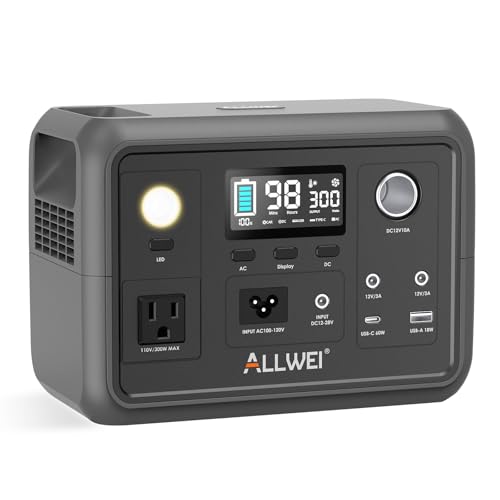
ALLWEI 300W Power Station
A compact 256Wh station that keeps your phone, lights, and even a CPAP running during an emergency. The pure sine wave outlet protects your sensitive devices.
Check Price on Amazon
EBL 1000W Station and Panel Kit
This all-in-one kit pairs a 999Wh station with a 200W solar panel for a full off-grid setup. It powers more gear at once and recharges itself from the sun.
Check Price on AmazonIn this guide
Why Trust This Guide?
This article was researched and reviewed by contributors with hands-on experience in emergency preparedness. They have tested gear, built real systems, and lived through situations where these skills actually mattered.
How Portable Battery Systems Work (and Why They’re Safer Indoors)
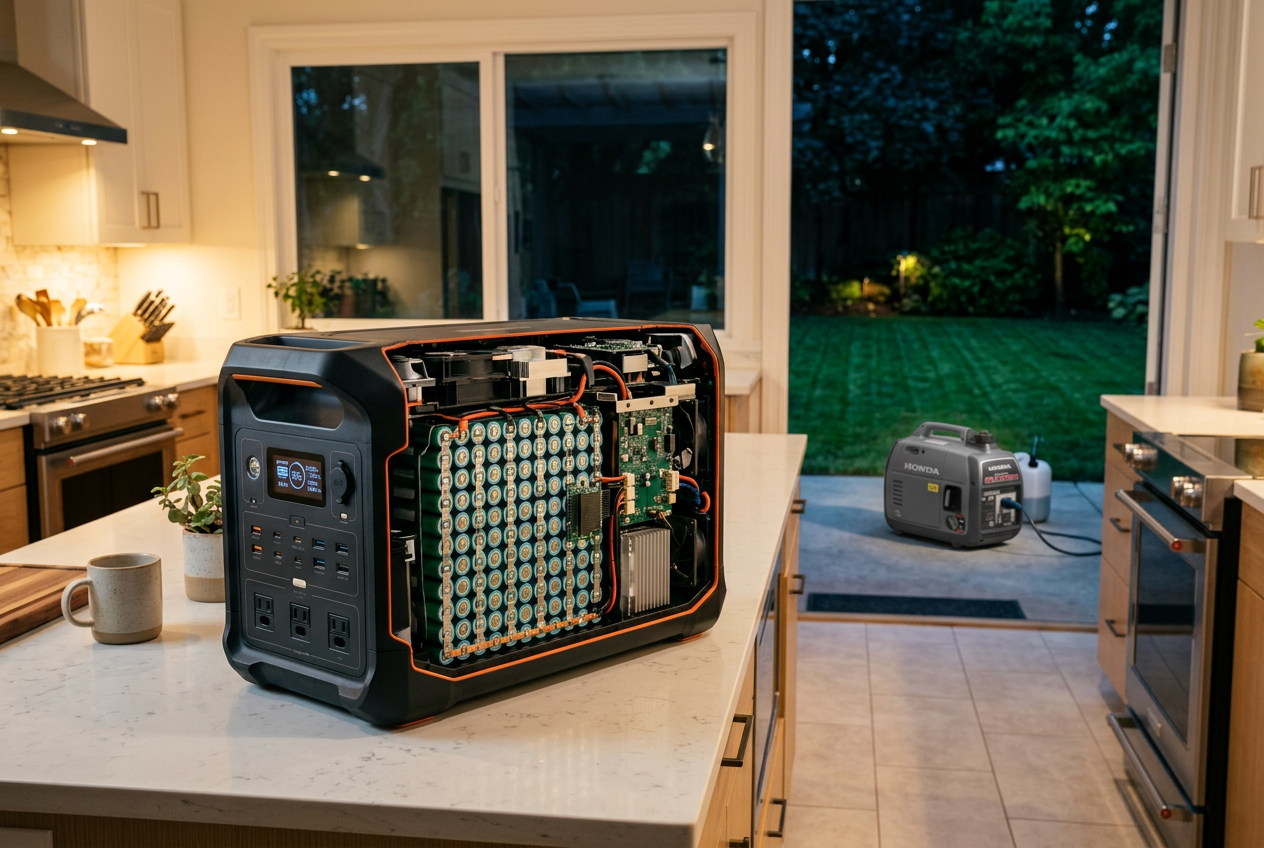
A portable battery system is a big rechargeable battery in a case. It stores power. Then it gives that power back when you need it. People also call these units “power stations” or “solar generators.” Do not let the word “generator” confuse you. These units do not burn fuel. They just hold electricity.
To pick the right one, you need to understand three simple things.
Battery Capacity (Watt-Hours)
Capacity is how much power the unit can hold. It is measured in watt-hours, written as “Wh.” A bigger number means more stored power. A small unit might hold around 256Wh, like the ALLWEI 300W power station. A larger unit might hold close to 1000Wh, like the EBL 1000W kit. More watt-hours means you can run your devices longer before the battery runs out.
Output (Watts)
Output is how much power the unit can push out at one time. It is measured in watts, written as “W.” Each device you plug in needs a certain number of watts. A phone needs very little. A mini fridge needs more. If a unit is rated at 300W, it can run devices that add up to 300W. Try to go higher, and it may shut off. Some units list a “peak” or “surge” number too. That is a short burst for devices that need extra power to start up.
Ports
Ports are the plugs on the unit. Most power stations have a mix. You get AC outlets, like the wall plugs in your home. You get USB-A and USB-C ports for phones and laptops. Many have a car port too. More ports mean you can charge more things at once.
Why These Units Are Safer Indoors
Here is the big difference between a battery system and a fuel generator. Fuel generators burn gas. Burning gas makes exhaust. That exhaust has carbon monoxide, a gas you cannot see or smell. It can be deadly. That is why a fuel generator must run outdoors only. Keep it at least 20 feet from your home. Use a carbon monoxide alarm nearby too.
Battery systems make no exhaust at all. There is nothing to burn. That means you can use them safely inside your home. You can run one in your living room during a storm. No fumes. No noise from an engine.
LiFePO4 Batteries and Built-In Safety
Many good units use a battery type called LiFePO4. That stands for lithium iron phosphate. These batteries are known for lasting a long time. Some are rated for thousands of charge cycles. They also run cooler and more stable than other battery types.
Most units also have a Battery Management System, or BMS. This is built-in protection. It guards against things like overcharging, overheating, and short circuits. It helps keep you and your devices safe. Still, treat any battery with care. Do not crush it, drop it, or let it get wet inside.
Sizing a System for Your Household Needs
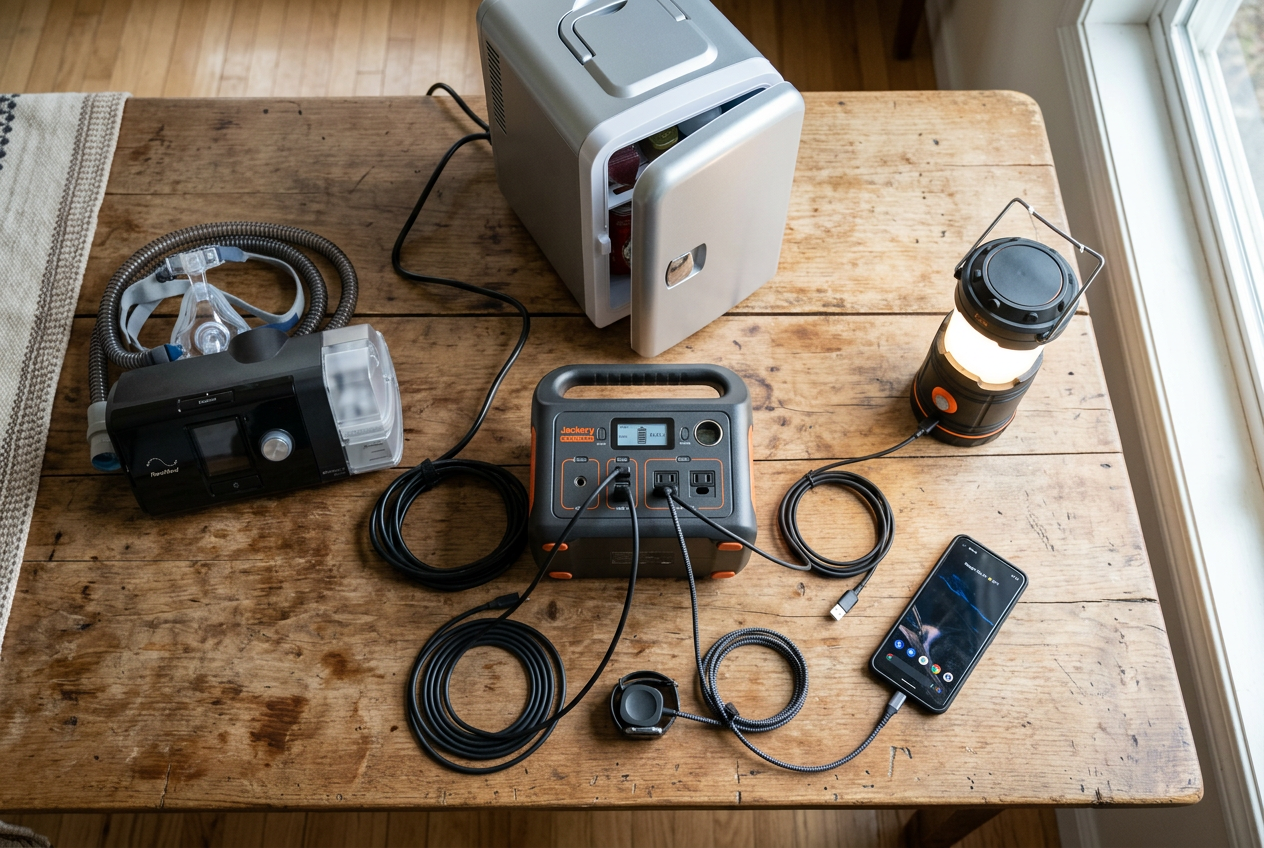
Before you buy, figure out what you want to power. The right size depends on your devices, not the biggest number on the box. Buying too much means you pay for power you never use. Buying too little means you run out when you need it most.
Start by making a short list. Write down the devices you want to keep running during an outage. For most homes, this means phones, lights, a laptop, and maybe a CPAP machine or a mini-fridge. Keep the list to true essentials.
Watt-Hours Tell You How Long
Battery size is measured in watt-hours (Wh). This number tells you how much energy the battery holds. A bigger number means longer run time.
Here is a simple way to think about it. A device uses watts (W) while it runs. If you run a 50W device for one hour, you use 50 watt-hours. So a 300Wh battery could run that device for about six hours.
Let’s look at common devices and rough run times. These are estimates, since real use changes with settings and temperature.
- Phones: Very small draw. A battery like the 296Wh EnginStar Portable Power Station can charge a phone many times over.
- Lights (LED): Low draw. A small station runs them for many hours.
- Laptop: Moderate draw. A 256Wh to 300Wh unit gives you several charges.
- CPAP machine: Often runs overnight. Do not assume a 256Wh to 300Wh station will last all night. Check your exact machine’s power draw and ask its maker about battery compatibility. Heated humidification and heated tubing can shorten runtime sharply; test the complete setup before relying on it.
- Mini-fridge: Higher and uneven draw. A larger unit like a 999Wh or 1kWh station handles this better. Smaller units may run out fast.
If you want home backup for a fridge or longer outages, look at bigger systems like the EBL 1000W Power Station or the EcoFlow DELTA 3.
Continuous Watts vs. Peak Surge Watts
This part trips up many buyers. Power stations list two numbers.
Continuous watts is the power a unit can supply all the time. A 300W station can run devices that total 300W or less at once.
Peak surge watts is a short burst the unit can handle for a moment. Many motors, like those in a fridge or a pump, spike hard when they first turn on. A 300W station with a 600W surge rating can handle that quick spike, then settle back down.
So you need to match both numbers to your load. Add up the running watts of everything you plan to power at once. That total must stay under the continuous rating. Then check that the surge rating covers your biggest motor device.
When in doubt, size up a little. A small cushion keeps your system from shutting off at the worst time.
Small Systems: Keep Phones and Essentials Charged
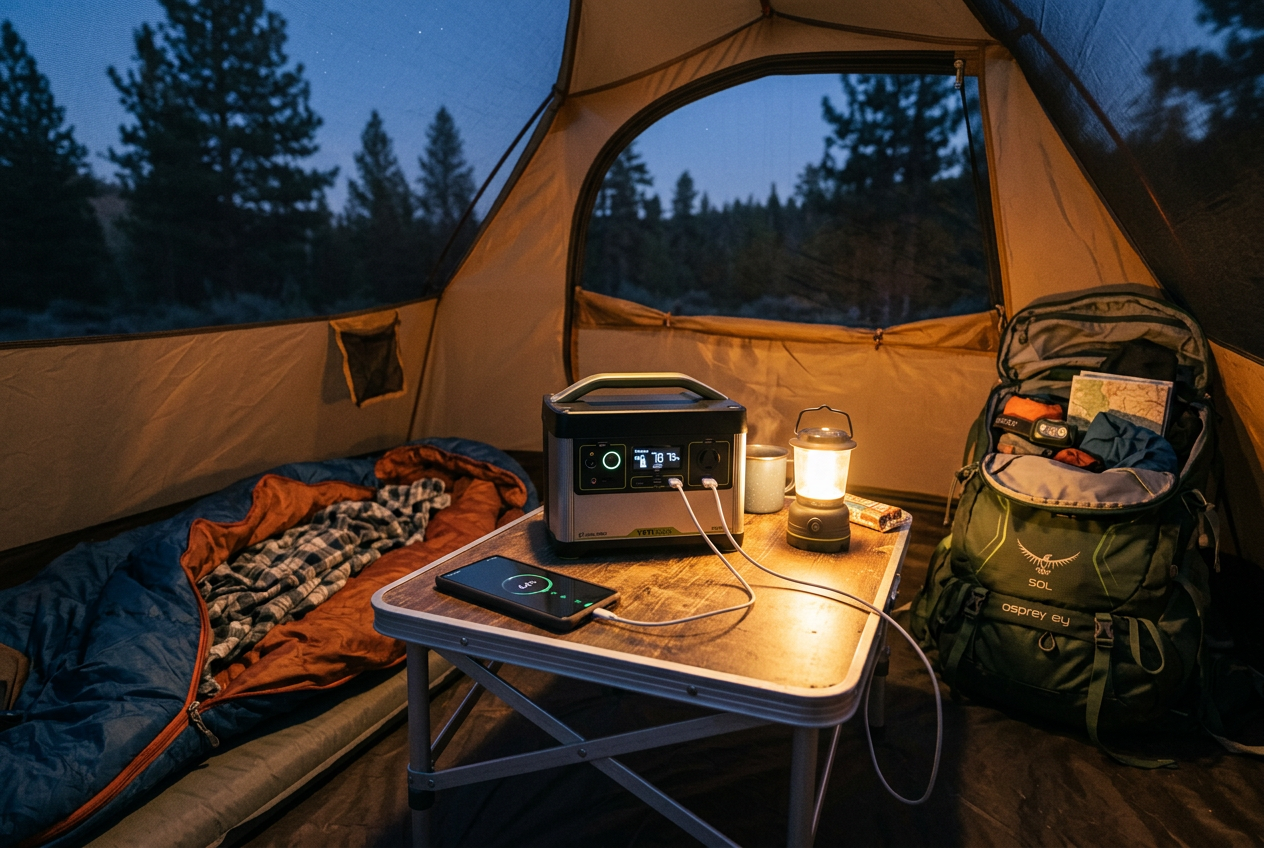
Small power stations are the easiest way to start. They hold about 250 to 300 watt-hours of power. That is enough to keep your phones charged during a short outage. It may run a laptop or lights. CPAP runtime depends on the exact machine and whether heated accessories are in use. These units are light. You can carry one in one hand. They are the most affordable size, and a great first buy.
What These Small Units Can Do
A 250 to 300Wh station is not meant to run big appliances. It will not power a dryer, an electric stove, or a space heater. But it will keep your essentials going. Think phones, tablets, laptops, cameras, and small lights. Some can run a CPAP machine or a mini fridge for a while, but check actual power draw and test the setup first. For camping, road trips, or a short blackout, this size does the job.
Why Pure Sine Wave Output Matters
You will see the term “pure sine wave” on many of these units. Here is what it means in plain words. Pure sine wave power is smooth and steady, like the power from your wall at home. Cheaper units sometimes make rough power instead. Rough power can harm sensitive electronics like laptops and CPAP machines. Pure sine wave output protects those devices. All the small units below use it.
Good Starter Options
The ALLWEI 300W station holds 256Wh. It uses a LiFePO4 battery, which is a long-lasting battery type rated for about 3000 charge cycles. It has six output ports, including a USB-C PD 60W port for fast phone and laptop charging. A built-in battery management system guards against short circuits and overloads.
The EnginStar 300W station holds 296Wh and weighs only 6.5 pounds. It carries ETL certification. It has eight output ports and two pure sine wave AC outlets. The maker rates its battery for more than 1000 charge cycles.

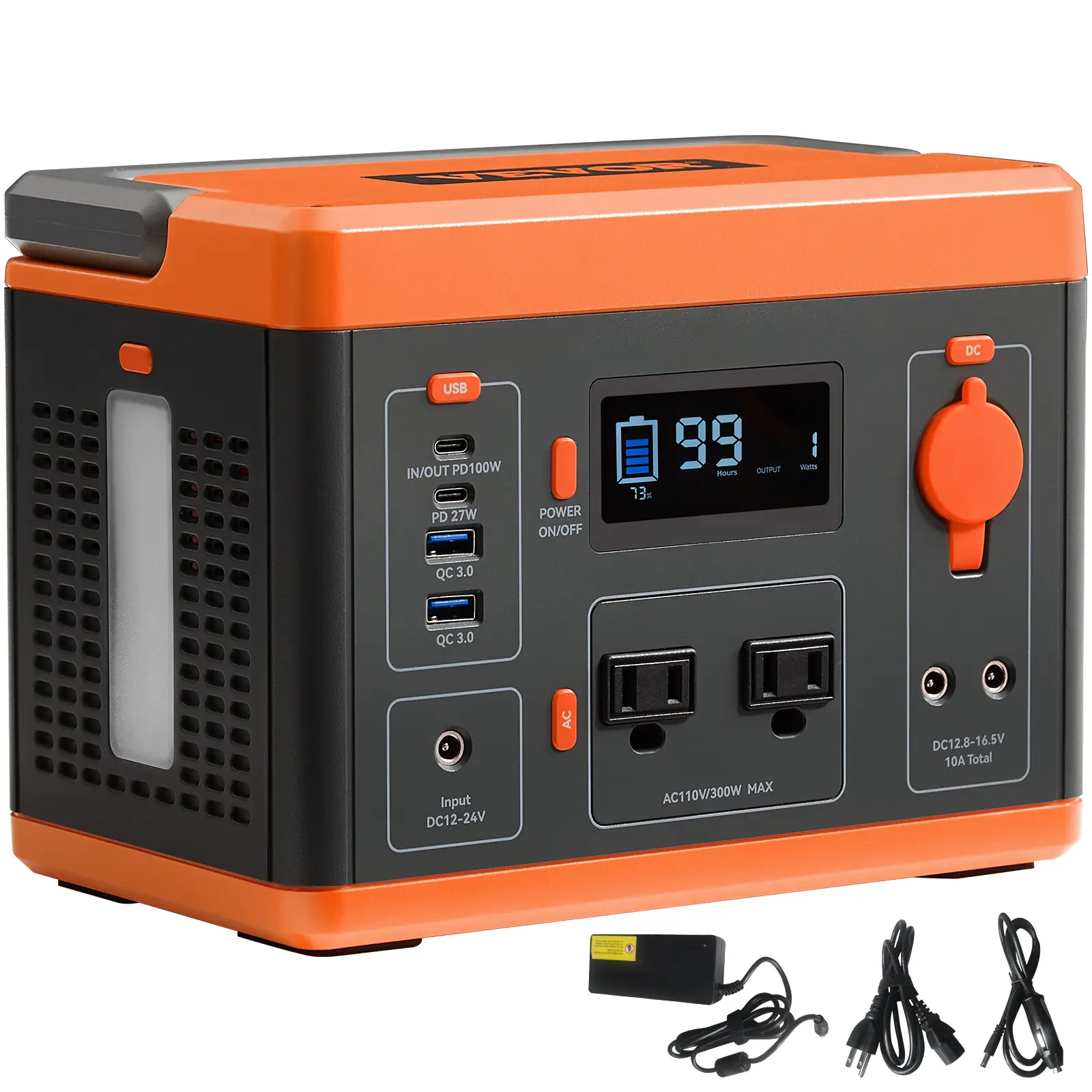
The VEVOR 300W station holds 296Wh. It gives a pure sine wave AC outlet and a USB QC3.0 fast-charge port. It also has a built-in LED light, which is handy during an outage.
The BLUETTI EB3A holds 268Wh and uses a LiFePO4 battery. It accepts up to 200W of solar input. Check the panel voltage and connector against BLUETTI’s specifications before buying.

The ZeroKor 300W station holds 280Wh and comes with a 60W solar panel in the box. It has a built-in MPPT charger, which helps it pull power from the sun. It includes a flashlight with an SOS mode too. Note the maker’s warning: do not run devices over 300W, like hair dryers or coffee makers.

Start here if you are new. A small unit teaches you the basics. You can always add a larger system later.
Larger Systems: Home Backup and Longer Outages
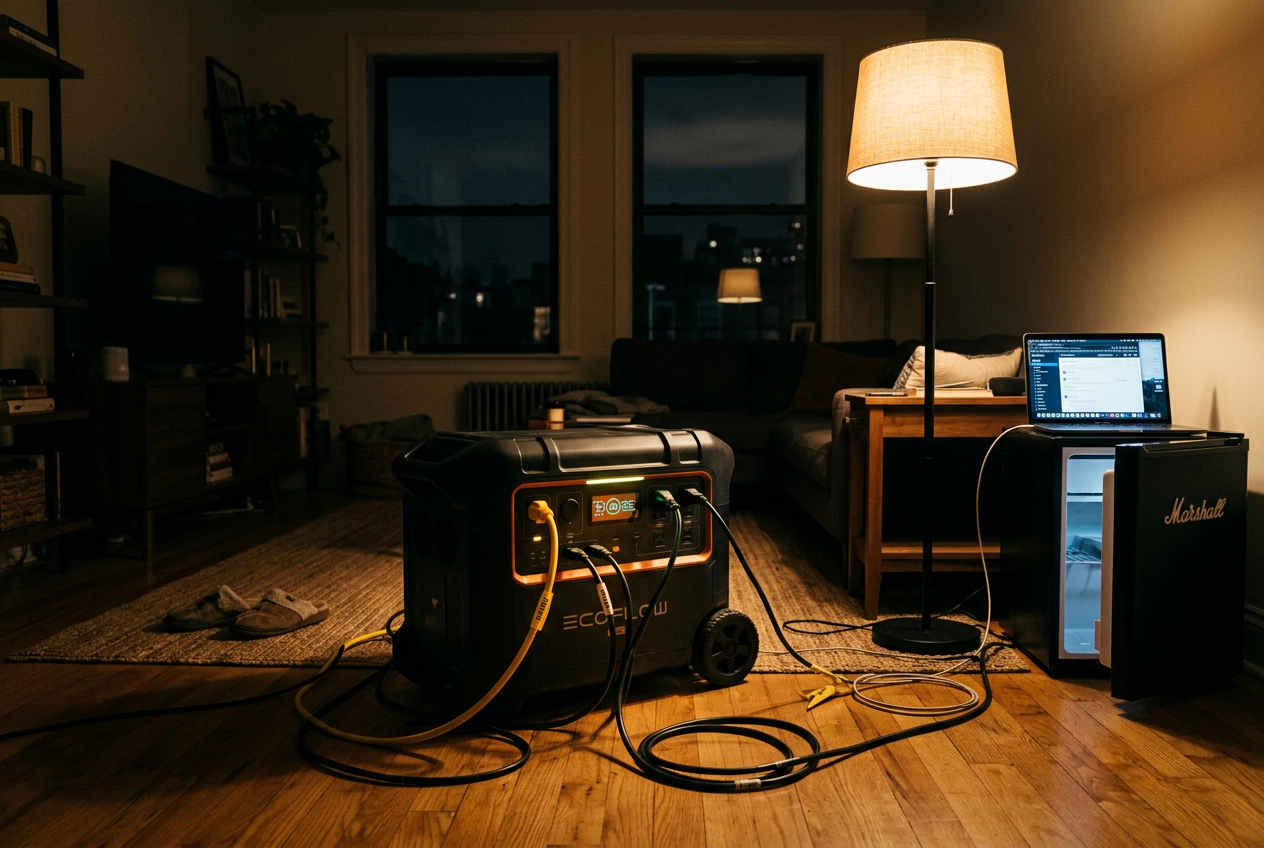
Small power banks keep your phone alive. But what if the power is out for hours or even days? That is when a larger system helps. These units start at about 1 kilowatt-hour (kWh) of storage and go up from there. One kWh means the battery holds 1,000 watt-hours of energy. That is enough to run several devices at once and keep small appliances going during a longer outage.
What These Systems Can Do
A larger power station can run more than just phones. You might power a small fridge, a few lights, a fan, or a laptop at the same time. The key numbers are capacity and output. Capacity (the watt-hours, or Wh) tells you how long the battery lasts. Output (the watts, or W) tells you how much you can run at once. A unit rated around 1000W can handle several household items together, as long as you do not go over that limit.
Many of these units use pure sine wave power. That means clean, stable electricity. It is safer for sensitive gear like laptops and medical devices. Some also include a smart battery management system. This feature helps prevent overcharging, overheating, and power surges. That makes the unit safer to run off the grid.
A Complete Starter Kit
One option pairs a 999Wh power station with a 200W solar panel. That combo gives you storage plus a way to recharge from the sun. The power station puts out 1000W (with a 2000W peak for short bursts). It can charge up to 10 devices at once, as long as the total stays at or below 1000W. It has two AC sockets, a USB-C fast charging port, three USB-A ports, a wireless pad, and a 12V car port. The built-in MPPT technology helps pull the most power from the solar panel.
A Battery for Home Backup
Another choice is an LFP battery unit built for home backup, camping, and RV use. LFP stands for lithium iron phosphate. This battery type is known for being stable and lasting through many charge cycles. This unit offers 1kWh of storage and supports 500 to 1000W of solar input. A solar panel is optional, so you can add one later if you want.

When You Need the Extra Headroom
Bigger is not always better. More capacity means more weight and more cost. A 1kWh unit is heavier than a small power bank. It is harder to carry and takes up more room. Ask yourself what you really need. If you only want to keep phones and a light going, a small unit is fine. If you want to run a fridge or power essentials during a multi-hour outage, the extra headroom is worth it. Match the system to your real needs, not the biggest number you can find.
Solar Charging: Staying Powered Off the Grid
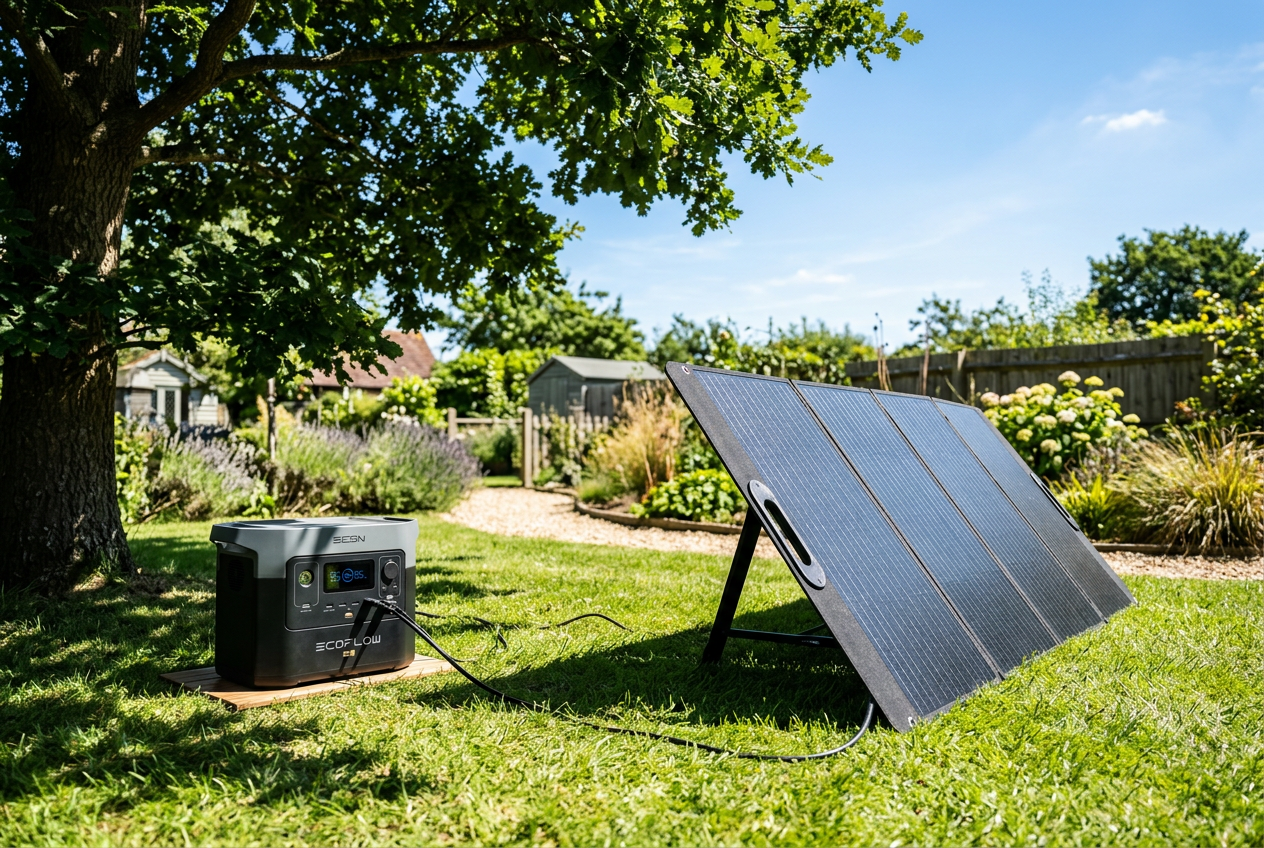
A battery system is only as good as your ability to refill it. When the grid is down, a solar panel lets you recharge your power station using sunlight. This is what makes a system truly off-grid. You can keep your lights, phone, and small devices going day after day, as long as the sun comes out.
How Solar Charging Works
The idea is simple. A solar panel takes in sunlight and turns it into electricity. You plug that panel into your power station. The station stores the energy in its battery. Later, you use that stored power to run your devices. No fuel. No fumes. No noise.
Most portable panels fold up like a book. You carry them outside, open them, and set them in the sun. A cable runs from the panel to the input port on your power station.
Matching the Panel to Your Station
Here is the most important part. Not every panel fits every power station. You need to check two things before you buy.
First, check the connector. Power stations use different plugs. Jackery, EcoFlow, Bluetti, and Anker do not all use the same one. A panel with a universal cable makes this easier. Some panels include several connector tips so they fit many brands.
Second, check the wattage. Wattage is how much power the panel can make. A 100 watt panel makes less than a 200 watt panel. Your power station also has a limit on how fast it can take in power. Match the panel to what your station can handle.
One option that covers many brands is this foldable 100 watt panel. It uses high efficiency cells and comes with a 5 in 1 cable. That cable fits common ports for Jackery, EcoFlow, Bluetti, and Anker stations. Always confirm it matches your exact model before you buy.
Placement and Charge Times
Where you put the panel matters a lot. Point it straight at the sun. Many panels have kickstands so you can tilt them. Angling a panel toward the sun can capture more light than laying it flat. Move the panel during the day as the sun moves. Keep it out of shade. Even a small shadow can cut the power.
Be realistic about charge times. A single 100 watt panel will not refill a large battery in an hour. On a clear day with good sun, it can take many hours to fill a mid-size station. Cloudy days make it slower. Short winter days make it slower too. If you need faster charging, use a bigger panel or more than one.
Look for panels built for the outdoors. A waterproof coating helps the panel survive rain and splashes. The panel above carries an IP67 waterproof rating, which means it handles wet weather well. Still, bring it inside when you can to make it last.
Comparison Table: Matching a System to Your Budget and Needs
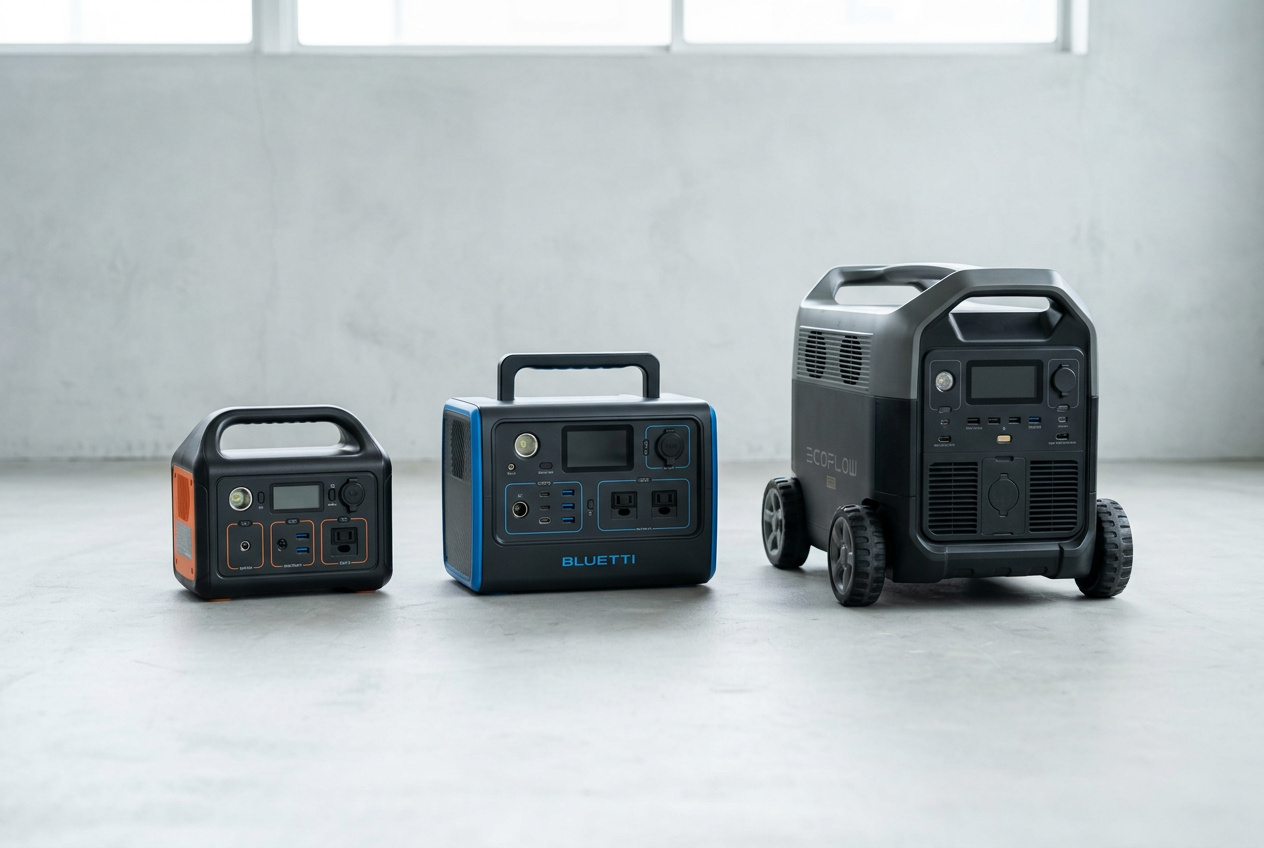
Now you have seen how these systems work. Here is a simple way to compare them side by side. The table below lists battery capacity, output power, ports, solar input, and the best use for each one. Capacity is measured in watt-hours (Wh). More watt-hours means the battery can run your devices longer. Output watts tell you how much power the unit can push out at once. A higher number means it can run bigger appliances.
Use this table to match a system to your needs. For a short outage or a weekend trip, a small unit is fine. For a longer power loss at home, you will want more capacity and more solar input.
How to read this table
The first four units are small. They hold between 256Wh and 296Wh. That is enough to charge phones, run a CPAP machine, or keep a small light going. They are easy to carry. They fit a short outage or a camping trip. The ZeroKor kit even comes with a 60W solar panel, so you can start charging from the sun right away.
The BLUETTI EB3A sits in the middle. It holds 268Wh but pushes out 600W. That higher output lets it run a few more things at once. It is a good step up if you want more power without a huge unit.
The last two systems are the largest here. The EBL 1000W kit holds 999Wh and comes with a 200W solar panel. EcoFlow lists 1024Wh capacity and 1800W AC output for DELTA 3 and DELTA 3 Plus; solar input differs by model (500W or 1000W). These units can run more devices and keep them going longer. They fit a multi-day outage or heavy off-grid use.
Pick the tier that fits
Think about what you need to power and for how long. A small unit covers phones and short gaps. A large unit covers more appliances and longer outages. Pair any unit with a solar panel if you want to stay charged when the grid is down for days.
Safe Setup and Storage
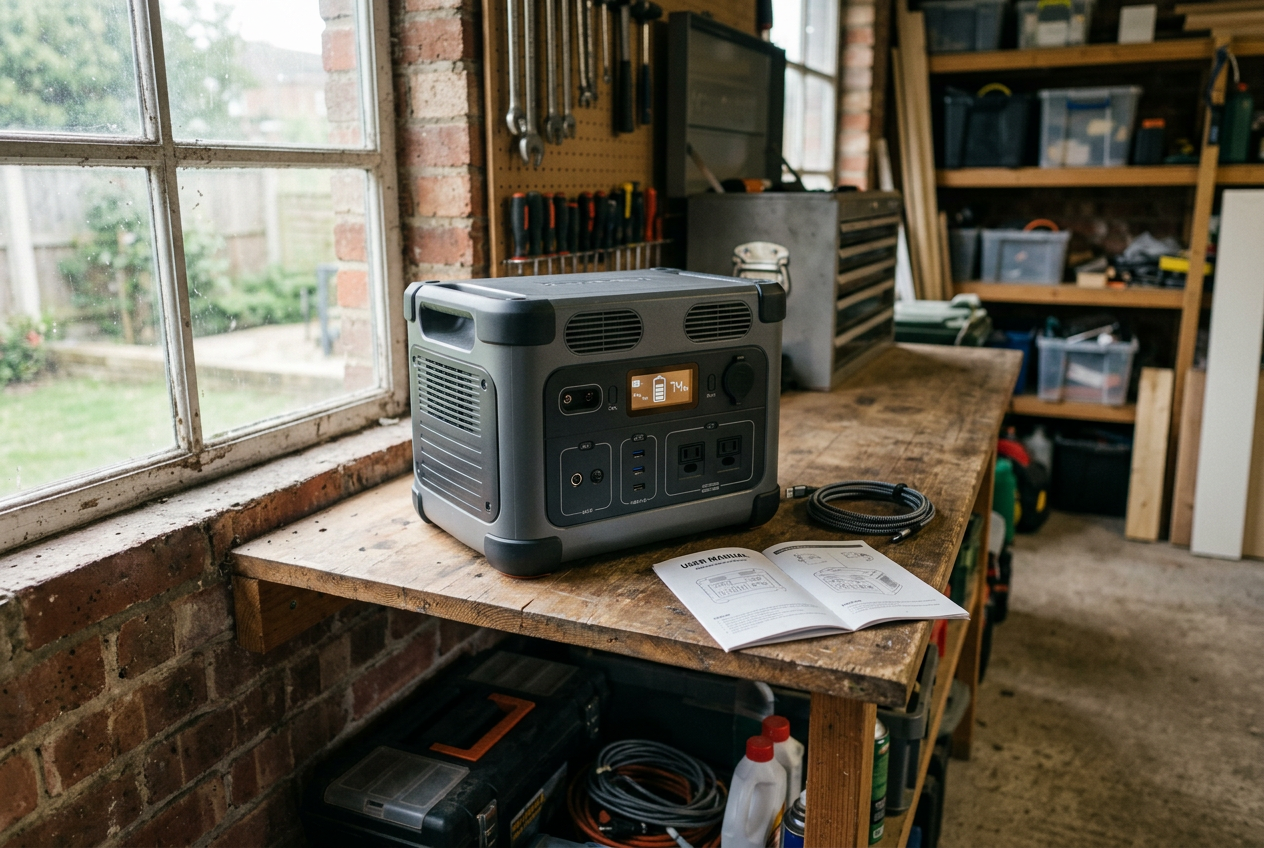
A portable power station is easy to use. But a few simple habits keep it safe and make it last longer. Most of these steps cost nothing. They just take a little care.
Pick a Good Spot
Keep your power station in a cool, dry place. Heat is hard on lithium batteries. Do not leave your unit in a hot car, a sunny window, or next to a heater. Cold can also hurt performance, so avoid freezing spots when you can.
Make sure air can move around the unit. Many power stations have vents or small fans that let heat escape. Do not stack boxes on top of your station or push it into a tight closet with no airflow. Blocking the vents can make the battery overheat. Give it a little open space on all sides.
Protect the Battery From Damage
Lithium batteries do not like to be crushed, punctured, or dropped. Treat your unit with care. Do not put heavy things on top of it. Do not toss it in the back of a truck where it can get banged around. If the case cracks or the battery swells, stop using it. A damaged battery can be a fire risk.
Keep the ports clean and dry. Water and metal objects can cause a short circuit. If your station gets wet, dry it off and let it sit before you charge it again.
Store It With Some Charge
If you plan to store your power station for a long time, do not put it away empty. A battery left at zero for weeks can be hard to bring back. It is also not good to store it at a full 100 percent for a long time. A good middle range is best. Many makers suggest storing the unit around half full.
Check on it now and then. Every few months, turn it on and see where the charge sits. Top it back up to that middle range if needed. This keeps the battery healthy and ready when you need it.
Read the Manual
This is the most important step, and it is free. Every power station is a little different. The manufacturer manual tells you the right charge range for storage, the safe temperature range, and how to care for your model. It also explains the built-in safety systems, like the battery management system that guards against overcharging and overheating.
Keep the manual somewhere you can find it. Many brands also post it online. Take a few minutes to read it when your unit arrives. You do not need to be an expert. Just follow the steps the maker gives you.
A little care goes a long way. A clean, cool spot, a half charge, and a quick read of the manual will keep your system safe and ready for years.
Frequently Asked Questions
Can I run a portable battery station indoors?
Yes. A portable battery station is safe to use inside your home. It does not burn fuel. That means it does not make carbon monoxide gas. This is the big difference between a battery station and a gas generator. Gas generators must run outdoors, far from your home, with carbon monoxide alarms nearby. Battery stations do not have that problem. Still, keep your station in a cool, dry spot with good airflow. Do not cover it while it runs.
What does watt-hours mean?
Watt-hours (Wh) tell you how much energy a station holds. Think of it like the size of a gas tank. A bigger number means more stored power. For example, the ALLWEI 256Wh station holds less energy than the EBL 999Wh station. To guess how long a station runs a device, divide the watt-hours by the device’s watts. A 100 watt item on a 256Wh station runs for about 2.5 hours. Real life is a bit lower because no station is perfect.
How long will a station power my fridge?
That depends on the size of the station and the size of your fridge. A small fridge may pull around 100 to 150 watts while running. But fridges do not run all the time. They cycle on and off. A 999Wh station might keep a small fridge cold for several hours. A small 256Wh station will last a shorter time. Check your fridge’s label for its watt rating. Then do the simple math above. For long outages, you will want a larger station or solar panels to refill it.
Can I charge the station and my devices at the same time?
Yes, on many models. This is called pass-through charging. It lets you refill the station while it powers your phone or laptop. The ALLWEI station lists this feature. Check your model’s manual to be sure. Not every station is built this way. When it works, it is handy during the day. You can top up from the wall or solar while still using your gear.
Do I need solar panels?
No, you do not need them to start. Every station in this guide charges from a normal wall outlet. Many also charge from your car. Solar panels are a bonus. They let you refill the station when the power is out and no outlet works. That matters for long outages or camping trips. A foldable panel like the ZOUPW 100W panel works with many brands. Just make sure the plug fits your station before you buy. Start with a station first. Add solar later if you want more freedom off the grid.
Your Action Checklist
You have learned how these systems work. Now it is time to act. Follow these steps in order. Each one builds on the last. By the end, you will have a power station that is ready when you need it.
Step 1: List Your Essential Devices
Write down what you must keep running. Think phones, lights, a laptop, or a CPAP machine. Then find the watts for each one. Look on the device, its charger, or the manual. Add up the watts. This number tells you how much power you need at one time. Also note how long you need each device to run. This helps you plan your total capacity.
Step 2: Pick a Capacity Tier
Match your needs to a size. Small units around 256Wh to 300Wh keep phones, lights, and small devices going. A model like the ALLWEI 300W power station fits this tier. Larger units near 999Wh or 1kWh can run more devices for longer. The EBL 1000W kit is one example. Pick the tier that covers your list with a little room to spare.
Step 3: Confirm Port Compatibility
Check the ports on your chosen unit. Does it have the right outlets for your gear? Look for AC outlets, USB-A, USB-C, and DC ports. Count how many you need at once. Some units power up to 10 devices at the same time. Make sure the total watts of those devices stay under the unit’s limit.
Step 4: Check Solar Connector Compatibility
If you plan to add solar, match the plugs. Power stations use different connectors like DC8020, XT60, or Anderson. A panel with a 5-in-1 cable, like the ZOUPW 100W solar panel, fits many brands. Confirm your panel’s connector works with your station before you buy. This step saves you from needing extra adapters later.
Step 5: Charge the Unit Fully
Charge your station to 100 percent now. Do not wait for a storm. A full battery is ready the moment the power goes out. Check the charge every few months. Batteries slowly lose power while sitting. Top it off so it stays ready.
Step 6: Test It on Your Devices Today
This is the most important step. Plug in your real devices and run them off the station. Make sure your phone charges. Make sure your lights turn on. Make sure your CPAP runs. Do this now, in daylight, with no stress. If something does not work, you have time to fix it. Finding a problem during an outage is too late.
Want to keep this list handy? You can print this page and check off each step as you go. Work through them one at a time. Soon you will have a tested, ready system you can trust.
Next Steps: Getting Started Today
You do not need the biggest system to get started. You just need the right one for your life. Pick based on what you want to keep running during a power outage or a trip off the grid.
Match the Tier to Your Needs
Start small if you just want to keep phones, tablets, and a few small devices charged. A compact power station is light, easy to carry, and simple to use. The ZeroKor 300W station with a built-in solar panel or the ALLWEI 300W LiFePO4 station are good examples of this smaller tier. They fit camping trips and short outages. For a CPAP, verify your machine’s requirements and test runtime before depending on a small station. The EnginStar 300W station is another compact option if you want extra output ports.
Step up to a larger system if you want to run more at once. This is the right tier for home backup during longer outages. A kit like the EBL 1000W station paired with a 200W solar panel gives you more capacity and the ability to recharge from the sun. The BLUETTI EB3A and EcoFlow DELTA 3 are other names you will see in this space.
If you already own a station, you may only need a solar panel to stay powered longer. A folding panel like the ZOUPW 100W panel with 5-in-1 connectors works with many brands. Check the connector type before you buy so it fits your unit.
Test and Maintain Your System
A battery you have never used is a guess, not a plan. Charge your station fully when it arrives. Then plug in the real devices you expect to power during an outage. Watch how long the battery lasts. This tells you if your system is sized right or if you need more.
Do a quick check every few months. Top off the battery so it does not sit empty for long stretches. Keep it in a cool, dry spot away from water and direct heat. A built-in battery management system guards against overcharging and overheating, but you still want to store it safely and keep it away from children.
If you plan to recharge with sun, test the solar panel too. Set it outside on a clear day. Angle it toward the sun to catch more light. See how fast it refills your station. That way you know what to expect before you need it.
Keep Learning
Portable battery systems are one piece of being ready. To go deeper, read our guide on solar chargers to learn how to stay powered off the grid. Our home backup power guide covers longer outages and bigger setups. Start with one station today, test it, and build from there.
Sources and Further Reading
- What are the Safety Standards for Battery Energy Storage?
- Solar Batteries in Off-Grid Living & Emergency Prep
- CSN Lithium-Ion Battery Safety Procedure
- CPSC: High-energy-density battery fire hazards and standards
- BLUETTI EB3A specifications
- EcoFlow DELTA 3 Series specifications
- VEVOR 296Wh power station specifications
- ResMed battery and heated accessory guidance
- Solar Battery Safety Guide (with Industry Insights)
- Emergency Preparedness Kit For Your Home
- Ready.gov: Power outage preparedness
- Off-Grid Preparedness: Power & Water
- Portable Generator Safety Tips
- Off-Grid Safety: Must-Have Features in Portable Power …